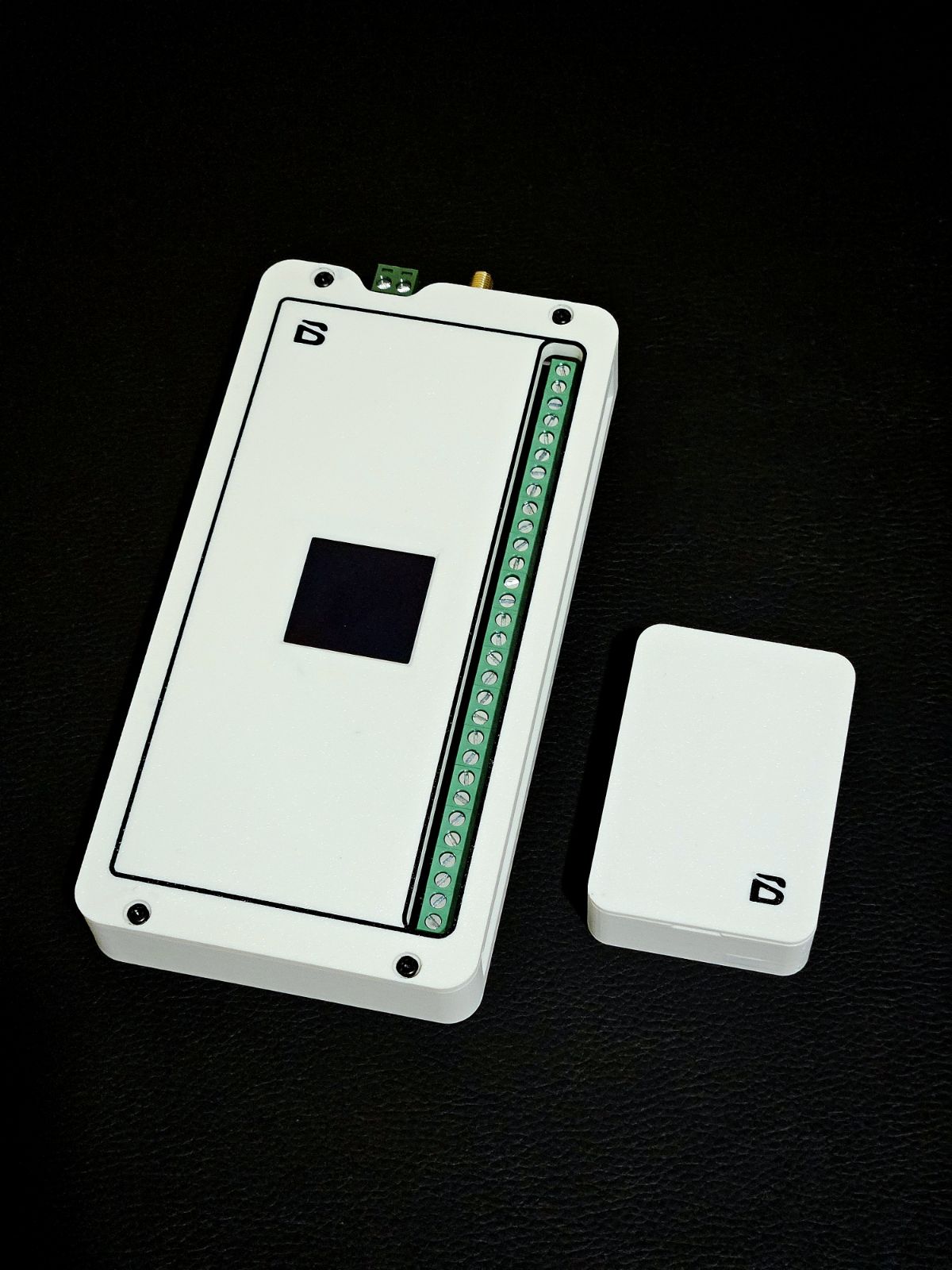
POINT IO -BL-PIO01
Expanded POINT device for powered applications (12V DC). 2 inputs + 2 outputs with IO expansion. Enables remote activation of devices and alarm control up to 2 km away. Functions as a location scanner within B-SENSE.
Short description
The POINT IO BL-P101 is the powered variant of the POINT device, designed for applications that require more I/O capability and continuous operation without battery constraints. It provides secure, two-way wireless communication with the B-LINK BASE while offering supervised inputs and relay outputs for direct control of third-party equipment.
With DC power, the POINT IO enables greater functionality such as driving locks, strobes, sirens or signalling devices, making it one of the most versatile modules in the B-LINK ecosystem.
Main Applications
Remote access control and gate automation
Alarm input expansion across large sites
Perimeter detection and safety system integration
Wireless triggering of B-LIGHT units, sirens, strobes
Retrofitting or temporary deployments where trenching isn’t viable
Inputs
2 x Supervised Inputs
For detectors, triggers, plant equipment and safety devices
(NO/NC options with cable integrity monitoring)
Outputs
2 x Relay Outputs (dry contact)
For locks, strobes, automation hardware, signalling
Technical Specifications
Set-Up Guide
B-LINK Quick Setup Manual
Apply power (10–15 VDC)
Completely remove and then reinsert Battery
Hold tamper button until blue LED flashes
Connect to Wi-Fi network:
B-LINK POINT-(MAC last 6)
Password:wirelessIn browser, open 192.168.1.1
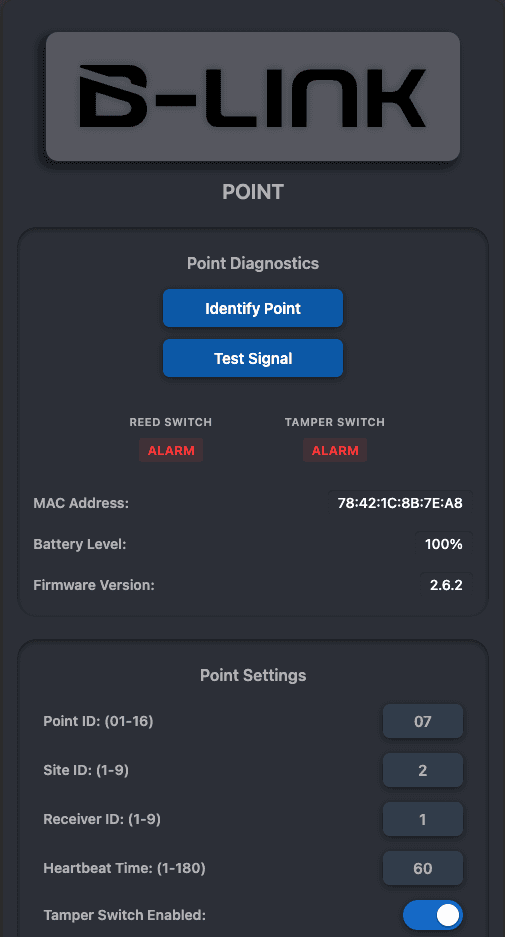
Set Point ID (unique per device)
Match Site ID with the BASE
Match Receiver ID with the BASE
Set heartbeat interval (affects reporting latency)
Enable/disable tamper based on installation
Adjust sleep mode if battery variant*
Save settings
Press Restart and wait for green LED confirmation
Troubleshooting
Issue | Action |
|---|---|
No communication to BASE | Confirm SITE ID + Receiver ID match BASE settings |
No input events | Check NO/NC configuration in GUI |
Poor signal | Adjust radio power settings on BASE / relocate device |
Outputs not switching | Confirm output logic and wiring |
Device shows offline | Reduce heartbeat interval / remove RF obstructions |
Refer to B-LINK network monitoring for live status feedback.